
Cuwit
  • Gaming Guide
  • Guide
  • Tips
  • Tools
  • Mobile
  • Productivity
No Result
View All Result
Cuwit
  • Gaming Guide
  • Guide
  • Tips
  • Tools
  • Mobile
  • Productivity
No Result
View All Result
Cuwit
No Result
View All Result
Home Editing

Unlock Jennie Blackpink’s Korean Aesthetic with Lightroom Mobile Presets

Celeste by Celeste
July 30, 2024
in Editing, Guide, Photography, Photoshop, Tutorial
0
Share on FacebookShare on Twitter

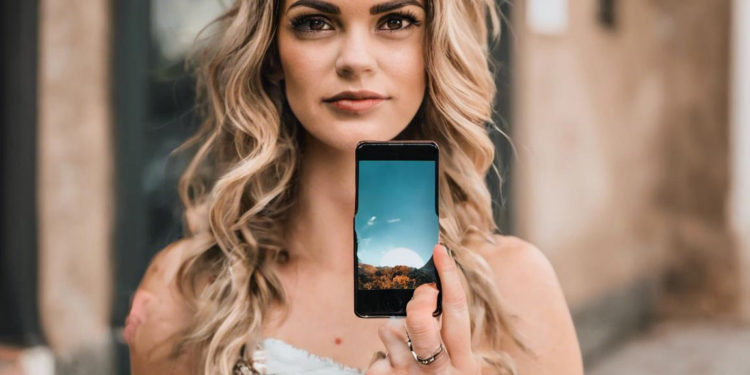
Have you ever wondered how Jennie Blackpink achieves her effortlessly cool and chic photos on Instagram? It’s not just about her flawless makeup and stylish outfits, but also about her signature Korean aesthetic!

If you’re looking to level up your Instagram game and capture that same effortlessly cool Korean vibe, look no further than Lightroom Mobile presets. These presets are the secret weapon of many influencers and photographers, allowing you to quickly and easily apply professional-grade edits to your photos.

What are Lightroom Mobile Presets?
What are Lightroom Mobile Presets?

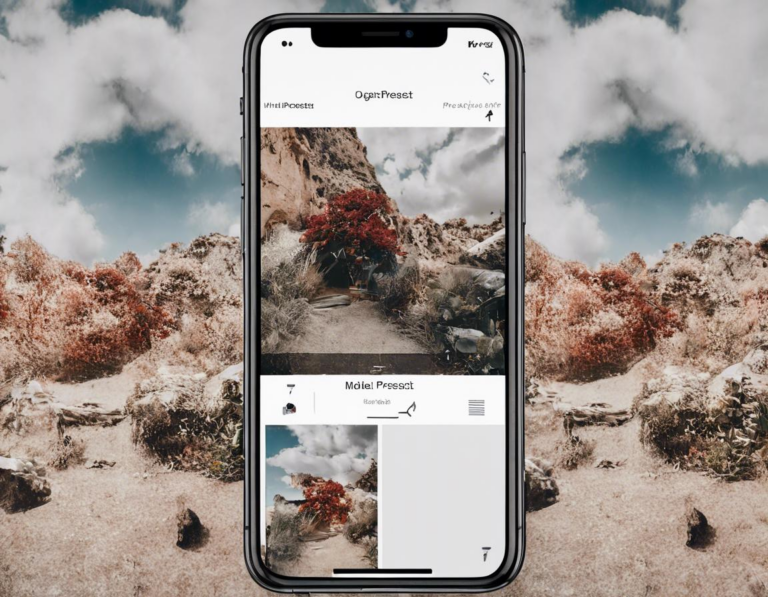
Lightroom Mobile presets are essentially pre-designed filters that you can apply to your photos with just a few taps. Think of them like Instagram filters, but with far more customizable options. They can adjust everything from exposure and contrast to color balance and sharpness, transforming your photos in seconds.


Related Post

Cara Menggunakan Preset Lightroom Mobile untuk Foto Studio: Panduan Lengkap

August 7, 2024

Tutorial Edit Foto Arsitektur di Snapseed untuk Hasil Profesional

July 31, 2024

Cara Menggunakan Filter VSCO untuk Foto Potret: Panduan Lengkap

July 31, 2024

Review Fitur Kostum di Game Stumble Guys: Panduan Lengkap Untuk Tampil Stylish

July 31, 2024

Why Use Lightroom Mobile Presets for the Jennie Blackpink Aesthetic?
Why Use Lightroom Mobile Presets for the Jennie Blackpink Aesthetic?

Jennie Blackpink’s signature style is all about clean lines, soft tones, and a touch of vintage charm. Lightroom Mobile presets are the perfect tool for achieving this look:

  • Effortless Editing: Apply the preset and instantly get the desired aesthetic without having to spend hours tweaking individual settings.
  • Consistency: Create a cohesive feed by using the same preset on all your photos.
  • Professional Results: Achieve a polished and professional look even without advanced photo editing skills.

Korean Aesthetic Lightroom Mobile Presets: Where to Find Them
Korean Aesthetic Lightroom Mobile Presets: Where to Find Them

With so many options out there, it can be overwhelming to find the right Lightroom Mobile presets for the Jennie Blackpink aesthetic. Here are some of the best places to start:

  • Etsy: Etsy is a treasure trove of digital products, including Lightroom Mobile presets. Search for keywords like “Korean aesthetic Lightroom presets,” “Jennie Blackpink presets,” or “soft girl presets.”
  • Creative Market: This popular platform offers a curated selection of high-quality digital products, including Lightroom Mobile presets. You’ll find a wide variety of styles and aesthetics here, including those inspired by Korean fashion and beauty.
  • Pinterest: Pinterest is a great place to find inspiration and discover new presets. Search for keywords like “Jennie Blackpink Lightroom presets,” “Korean aesthetic Lightroom presets,” or “Instagram aesthetic presets.”

Tips for Choosing the Right Preset for Your Photos

Tips for Choosing the Right Preset for Your Photos

While the right preset can instantly elevate your photos, it’s important to choose one that complements your specific image. Here are some tips:

  • Consider the lighting: Different presets work best with different lighting conditions. For example, a preset designed for bright sunlight may not look good on a photo taken indoors.
  • Match the preset to your image: Consider the colors and tones in your photo and choose a preset that complements them. For example, a warm-toned preset might look better on a photo with warm colors, while a cool-toned preset might look better on a photo with cool colors.
  • Don’t be afraid to experiment: Don’t be afraid to try out different presets and see what works best for your photos. You can always adjust the settings later to fine-tune the look.

How to Apply a Lightroom Mobile Preset to Your Photos

Applying a Lightroom Mobile preset is quick and easy:

  1. Import your photo into Lightroom Mobile.
  2. Tap the “Presets” icon.
  3. Select the preset you want to apply.
  4. Adjust the preset’s intensity using the slider.
  5. Fine-tune the preset using the “Adjust” panel.

Jennie Blackpink Aesthetic: Key Elements to Look For in Presets

To capture Jennie Blackpink’s Korean aesthetic, look for presets that incorporate the following elements:

  • Soft, muted tones: Avoid harsh colors and opt for a palette of pastel shades, warm browns, and soft blues.
  • Vintage feel: Enhance the vintage feel with subtle grain, a slight fade, and warm, nostalgic tones.
  • Clean, sharp lines: Maintain clear, sharp details in your photos to create a polished and professional look.
  • Focus on highlights: Emphasize highlights and bring out the vibrancy of the image while keeping shadows soft and subdued.

Beyond the Presets: Enhancing the Jennie Blackpink Aesthetic

While presets are a powerful tool, they’re just the first step to achieving Jennie Blackpink’s Korean aesthetic. Here are some additional tips to elevate your photos:

  • Posing and Styling: Mimic Jennie’s effortlessly cool and confident style by experimenting with relaxed poses, oversized sweaters, chic streetwear, and statement jewelry.
  • Background and Location: Choose backgrounds and locations that enhance the overall aesthetic. Think minimalist cafes, trendy boutiques, or scenic natural landscapes.
  • Editing Tools: Explore other editing features in Lightroom Mobile like “Curves” to refine your edits further and achieve a more personalized look.

The Jennie Blackpink Aesthetic: A Guide for All

Capturing Jennie Blackpink’s Korean aesthetic isn’t about replicating her style exactly. It’s about embracing the core elements of her aesthetic – clean lines, soft tones, a touch of vintage charm, and a sense of effortless cool – and making them your own.

By using Lightroom Mobile presets and mastering the techniques mentioned above, you can create photos that are not only visually stunning but also reflect your own unique style. Don’t be afraid to experiment and find what works best for you.

So, what are you waiting for? Download some Korean aesthetic Lightroom Mobile presets, get creative, and start capturing your own Jennie Blackpink moments!
Tags: Beautyediting tipsFashionJennie BlackpinkK-PopKorean AestheticLightroom MobileLightroom Presetsmobile photographyPhotography Editing
Celeste

Celeste

Related Posts

Editing

Cara Menggunakan Preset Lightroom Mobile untuk Foto Studio: Panduan Lengkap

by Anya
August 7, 2024
Apps

Tutorial Edit Foto Arsitektur di Snapseed untuk Hasil Profesional

by Anya
July 31, 2024
Editing

Cara Menggunakan Filter VSCO untuk Foto Potret: Panduan Lengkap

by Willow
July 31, 2024
Next Post

Template Planner Harian Gratis di Notion: Atur Waktu Anda dengan Lebih Efektif

Leave a Reply Cancel reply

Your email address will not be published. Required fields are marked *

Recommended

Panduan Lengkap Membersihkan Cache dan Verify Integrity Steam MHW Error untuk Monster Hunter Wilds

Panduan Lengkap Membersihkan Cache dan Verify Integrity Steam MHW Error untuk Monster Hunter Wilds

April 5, 2026
Cara Duplicate Objek dengan Cepat di Mode Edit Blender: Panduan Efisiensi Workflow untuk Game Artist

Cara Duplicate Objek dengan Cepat di Mode Edit Blender: Panduan Efisiensi Workflow untuk Game Artist

March 27, 2026
Tutorial Membuat Armorskin Penambah Defense dari Adamant Seed MHW & Wilds Paling Lengkap

Tutorial Membuat Armorskin Penambah Defense dari Adamant Seed MHW & Wilds Paling Lengkap

April 1, 2026
Tutorial Membuat Tekstur Mata Hewan yang Bersinar Glow: Panduan Lengkap untuk Desain Karakter Game

Tutorial Membuat Tekstur Mata Hewan yang Bersinar Glow: Panduan Lengkap untuk Desain Karakter Game

March 9, 2026
Panduan Berlindung di Gua Saat Badai Pasir Ekstrem Datang MHW: Strategi Survival Terbaik

Panduan Berlindung di Gua Saat Badai Pasir Ekstrem Datang MHW: Strategi Survival Terbaik

April 12, 2026
Panduan Mengalahkan Radobaan Monster Lumpur Keras MH Wilds: Strategi, Kelemahan, dan Tips Pro

Panduan Mengalahkan Radobaan Monster Lumpur Keras MH Wilds: Strategi, Kelemahan, dan Tips Pro

April 12, 2026
Panduan Mengatur Virtual Memory Pagefile: Atasi VRAM Kurang & Out of Memory MHW (Monster Hunter Wilds)

Panduan Mengatur Virtual Memory Pagefile: Atasi VRAM Kurang & Out of Memory MHW (Monster Hunter Wilds)

April 12, 2026
Panduan Mengalahkan Jyuratodus Monster Ikan Lumpur MH Wilds: Tips & Strategi Terlengkap

Panduan Mengalahkan Jyuratodus Monster Ikan Lumpur MH Wilds: Tips & Strategi Terlengkap

April 12, 2026

Cuwit

Our media platform offers reliable news and insightful articles. Stay informed with our comprehensive coverage and in-depth analysis on various topics.
Read more »

Recent Posts

  • Panduan Berlindung di Gua Saat Badai Pasir Ekstrem Datang MHW: Strategi Survival Terbaik
  • Panduan Mengalahkan Radobaan Monster Lumpur Keras MH Wilds: Strategi, Kelemahan, dan Tips Pro
  • Panduan Mengatur Virtual Memory Pagefile: Atasi VRAM Kurang & Out of Memory MHW (Monster Hunter Wilds)

Categories

  • 2023
  • 2024
  • 3D Animation Tutorial
  • 3D Design
  • 3D Design & Animation
  • 3D Design & Game Development
  • 3D Design & Modeling
  • 3D Design Tutorial
  • 3D Game Development
  • 3D Modeling
  • 3D Modeling & Animation
  • 3D Modeling & Retopology
  • 3D Modeling & Sculpting
  • 3D Modeling & Texturing
  • 3D Modeling Tutorial
  • Addictive
  • AI
  • Android
  • Animasi & Game Development
  • Animasi 3D
  • Animasi 3D & Rigging
  • App
  • Apps
  • Aset Game & Animasi
  • Assassin
  • Beginners
  • Blogging
  • Budgeting
  • Build
  • Business
  • Challenges
  • Collaboration
  • Comparison
  • Content
  • Customization
  • Desain & Animasi 3D
  • Desain 3D
  • Desain 3D & Animasi
  • Desain Grafis & 3D
  • Desain Grafis & Animasi 3D
  • Desain Karakter & Animasi
  • Design
  • Development
  • Editing
  • Efficiency
  • Error in response
  • Evernote
  • Farming
  • Finance
  • Food
  • Free
  • Fun
  • Game Development
  • Game Development Tips
  • Game Development Tutorial
  • Game Guide
  • Game Tutorial
  • Gameplay
  • Gaming
  • Gaming Guide
  • Gaming News
  • Gaming Strategy
  • Gaming Tech Guide
  • Gaming Technology
  • Gaming Tool Guide
  • Gaming Tutorial
  • Gear
  • Genshin Impact
  • Graphics
  • Growth
  • Guide
  • Hero
  • Job Search
  • Keyboard
  • Lancelot
  • Language
  • Learning
  • Management
  • Marketing
  • Mobile
  • Mobile Legends
  • Monetization
  • Multiplayer
  • Multitasking
  • Myth
  • Networking
  • Notion
  • Optimization
  • Panduan Game
  • PC Gaming Guide
  • Photography
  • Photoshop
  • PicsArt
  • Planning
  • Platforms
  • Primogem
  • Productivity
  • Programming
  • Project Management
  • Reality
  • Review
  • SEO
  • Setup
  • Shortcut
  • Solutions
  • Startup
  • Strategies
  • Strategy
  • Tank
  • Time Management
  • Tips
  • Tools
  • Traffic
  • Trends
  • Tutorial
  • Tutorial & Tips
  • Tutorial 3D
  • Tutorial 3D Animation
  • Tutorial 3D Design
  • Tutorial 3D Modeling
  • Tutorial Animasi 3D
  • Tutorial Blender
  • Tutorial Desain & Animasi 3D
  • Tutorial Desain 3D
  • Tutorial Design
  • Tutorial Design 3D
  • Tutorial Game Development
  • Tutorial Pengembangan Game
  • Tutorial Unity
  • Tutorial Unreal Engine
  • Uncategorized
  • UX
  • VSCO
  • Weapons

Resource

  • About us
  • Contact Us
  • Privacy Policy

© 2024 Cuwit.

Code: 123321

No Result
View All Result
  • Gaming Guide
  • Guide
  • Tips
  • Tools
  • Mobile
  • Productivity

© 2024 Cuwit.